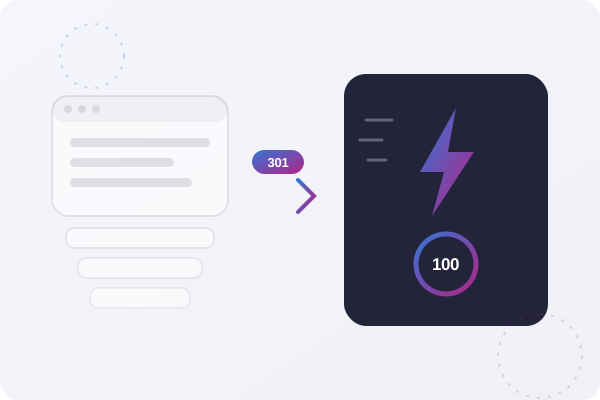
“Migration” is a comforting word. It sounds like your website gets picked up, carried across, and set down somewhere faster. The reality: a WordPress to Astro migration is a rebuild with a preservation plan, and knowing exactly what gets preserved, what gets rebuilt, and what gets left behind is the difference between a rankings boost and a rankings disaster.
We’ve migrated Australian small business sites from WordPress to Astro enough times to know where the bodies are buried. This is the honest walkthrough we wish every business had read before asking for a quote, including the cases where we’ll tell you to stay on WordPress.
The Short Version
A proper migration has six phases: audit, URL mapping, rebuild, SEO preservation, editing workflow, launch. For a typical small business site it takes 2–4 weeks. Your content, URLs, rankings, and design come across. Your plugins don’t, and that’s mostly the point.
And no, you shouldn’t always do it. If you run a complex WooCommerce store, publish daily with multiple editors and no CMS budget, or your WordPress site is already fast and ranking, keep reading, because the “don’t migrate” section is for you.
Phase 1: The Content Audit, Finding Out What You Actually Have
Every WordPress site is an iceberg. Above the waterline: your pages and posts. Below it: custom post types, shortcode output, widget content, form logic, image galleries, category archives, and that pricing table a plugin generates on the fly.
The audit catalogues all of it:
- Pages and posts: exported cleanly via the WordPress REST API or a WXR export, then converted to Markdown or structured content.
- Media: images pulled from
wp-content/uploads, deduplicated, recompressed, and served in modern formats. - Plugin-generated content: sliders, tables, galleries, and embeds that don’t exist in the database as portable content. Each one needs a decision: rebuild it, replace it, or retire it.
- Forms and integrations: contact forms, newsletter signups, booking widgets, tracking pixels. These never “come across”, they’re rebuilt (more on this below).
The audit is also where the surprises surface. Most business owners discover pages they forgot existed, and a migration is the perfect moment to prune the dead weight instead of paying to port it.
Phase 2: The URL Map, Where SEO Lives or Dies
Google doesn’t rank your website. It ranks your URLs. Every URL on your current site that has backlinks, bookmarks, or ranking history is an asset, and the URL map is the ledger that protects it.
- Crawl the existing site to capture every live URL, including the weird ones WordPress generates (tag archives, paginated categories, attachment pages).
- Decide each URL’s fate: keep it identical, change it and 301-redirect, or retire it and redirect to the closest relevant page.
- Keep slugs identical wherever possible. The cheapest redirect is the one you never need.
- Validate before launch by re-crawling the new build against the map. Every old URL must resolve, no 404s, no redirect chains.
This phase is boring, mechanical, and completely non-negotiable. When you hear about a migration that “tanked our SEO”, it’s almost always because this ledger was never written.
Phase 3: The Rebuild, What Actually Gets Built
Here’s where the “rebuild with a preservation plan” framing matters. Astro doesn’t run your WordPress theme. Every template, homepage, service pages, blog layout, contact page, is rebuilt as Astro components that output clean, static HTML.
That sounds like bad news. It’s usually the best part of the project:
- Your theme’s bloat doesn’t survive the trip. Page builders like Elementor and Divi wrap content in layers of divs and load hundreds of kilobytes of scripts. The Astro rebuild outputs just the content.
- You can refresh the design for near-zero extra cost. Since templates are being rebuilt anyway, modernising the look costs little more than replicating the old one.
- Interactive bits get rebuilt deliberately. Forms are wired to serverless functions or a form service. Search becomes a static index. Each plugin behaviour is replaced with something lighter, or consciously dropped.
The result is a site that routinely loads in under a second with perfect Core Web Vitals, we covered the performance and cost numbers in detail in our Astro vs WordPress comparison.
Want to Know What Your Migration Would Involve?
We’ll audit your WordPress site and give you a straight answer, including if the honest answer is “don’t migrate”.
Book a Free Migration Audit →Phase 4: SEO Preservation, More Than Just Redirects
The URL map protects your link equity. The rest of your search presence needs its own packing list:
- Titles and meta descriptions ported page-for-page, not regenerated from scratch.
- Structured data (LocalBusiness, Article, FAQ, Breadcrumb schema) rebuilt in the new templates. Astro makes this easier to do consistently than most WordPress SEO plugins.
- Open Graph and social tags so shared links keep their previews.
- XML sitemap generated at build time and submitted to Google Search Console on launch day.
- Robots rules and canonicals checked against the old site, a stray
noindexin a template is the classic silent killer.
Done properly, rankings don’t just survive, they usually improve within weeks, because Core Web Vitals jump from mediocre to perfect and Google notices. Done carelessly, you can lose years of SEO in a single deploy. There is very little middle ground.
Phase 5: The Editing Workflow, The Question Nobody Asks Early Enough
WordPress’s admin dashboard is the thing people actually fear losing. So let’s be precise about the options:
- You publish a few times a year: skip the CMS entirely. Send us the change, or edit a Markdown file. This is cheaper than maintaining any admin system, and it’s what most brochure-site owners genuinely need.
- You publish weekly or monthly: connect a headless CMS: Sanity, Contentful, or similar. Editors get a clean dashboard that’s friendlier than WordPress; the site stays static and fast.
- You publish daily with a team: this is where the maths gets honest. A headless CMS setup adds real cost to the build, and if that’s not in budget, a well-maintained WordPress site may serve you better. See the next section.
Pick the workflow before the build starts. Retrofitting a CMS onto a finished Astro site is possible, but it’s money you didn’t need to spend twice.
When You Shouldn’t Migrate
An agency that says “migrate everything, always” is selling you their invoice, not advice. Here’s when staying put is the right call:
- You run a serious WooCommerce store. Carts, checkout flows, shipping rules, and payment integrations are exactly what WooCommerce is mature at. Astro handles storefront content beautifully, but replacing a complex checkout is a different (and bigger) project. If the store itself is the problem, the better conversation is usually WooCommerce vs Shopify, not Astro.
- Your business runs on plugins, not pages. Membership portals, LMS courses, booking systems with staff calendars, gated content, these are application features. Rebuilding them from scratch costs multiples of a content-site migration. Sometimes the answer is a hybrid: static Astro marketing site, WordPress or a SaaS tool kept for the application part.
- You publish daily, with multiple editors, and there’s no budget for a headless CMS. WordPress’s editorial workflow is genuinely good. Losing it without a replacement is a downgrade your content team will feel every morning.
- Your WordPress site is already fast, secure, and ranking. If you’re on quality managed hosting, load in under two seconds, and rank where you want to, a migration buys you little. Spend the money on content or marketing instead.
- You rebuilt less than a year ago. The economics of a migration work because they replace an ageing site’s mounting costs. Throwing away a fresh build rarely pays back.
Everyone else, the brochure sites, the blogs, the portfolios, the service businesses paying $80 a month to host a slow site that gets updated four times a year, the migration maths is very hard to argue with.
Timeline and Cost: What to Expect
For a typical Australian small business site (5–20 pages, a blog, a couple of forms):
- Weeks 1–2: audit, URL map, content export, template rebuild.
- Week 3: SEO port, forms and integrations, CMS hookup if chosen, staging review.
- Week 4: redirect validation, launch, Search Console submission, post-launch monitoring.
Content-heavy sites with hundreds of posts and bespoke templates run 4–8 weeks. On cost: expect a migration to be priced like a rebuild, because it is one, minus the content writing, strategy, and information architecture you’ve already paid for once. Then the running costs flip in your favour: hosting typically drops from $30–$100 a month to free on Cloudflare Pages, and the plugin-update treadmill disappears entirely.
The Launch Checklist
The last 5% of a migration is where reputations are made. Ours looks like this:
- Every URL from the old crawl resolves, direct hit or single 301, no chains
- Forms tested end-to-end, with the actual notification emails arriving
- Analytics and tracking pixels firing on the new build
- Structured data validated in Google’s Rich Results Test
- Sitemap submitted, Search Console monitored daily for the first fortnight
- 404 monitoring live, because a real visitor will always find the URL you missed
- The old WordPress site kept warm (but offline) for 30 days as a rollback and reference
The Final Word
A WordPress to Astro migration isn’t magic and it isn’t scary, it’s a disciplined rebuild that preserves the assets you’ve spent years earning: your content, your URLs, and your rankings. Get the six phases right and the payoff is a site that loads instantly, costs almost nothing to run, and never asks you to update a plugin again.
And if your site falls into one of the “don’t migrate” buckets, that’s a fine outcome too. The goal is the right platform for the next five years, not a migration for its own sake.
Thinking About Making the Move?
We’re Brisbane-based Astro developers with production migrations behind us. We’ll tell you what yours involves, and whether it’s worth doing.
Explore Our Astro Service →